Professional services & agencies
ERP for agencies and service firms, from project to invoice
For teams that sell time and know-how. Projects, tasks and logged hours flow straight into billing. Open services are visible at a glance. The AI Steward reminds about missing time and checks invoices before they go out.
Where service firms leave money on the table
Hours are forgotten
At month end time is missing. What is not logged is not billed.
Billing takes a day
Collecting hours from lists, writing invoices, asking around.
Budget only visible at the end
Whether a project pays off shows once it is finished.
Knowledge in heads and inboxes
Briefings, decisions and files are scattered.
How a project runs in relyd
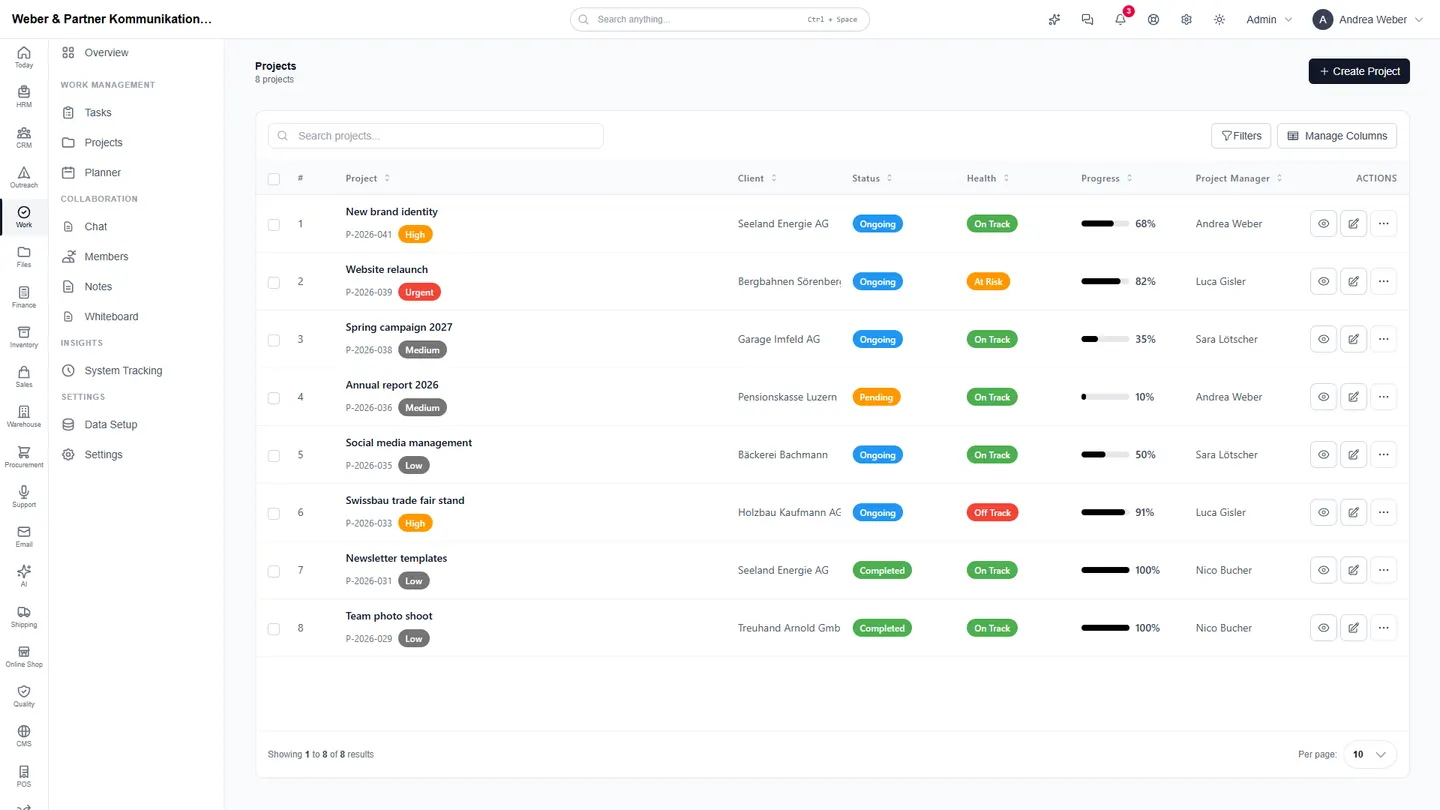
The screenshots are taken from relyd, filled with sample data of a communications agency.
Projects with progress and health
Every project shows client, status, progress and whether it is on track. Tasks, planner, notes and files hang off the project.
- Tasks with owner and due date
- Planner for the team's week
- Time tracking per task and project
- Notes, whiteboard and files in the project
Bill with one click
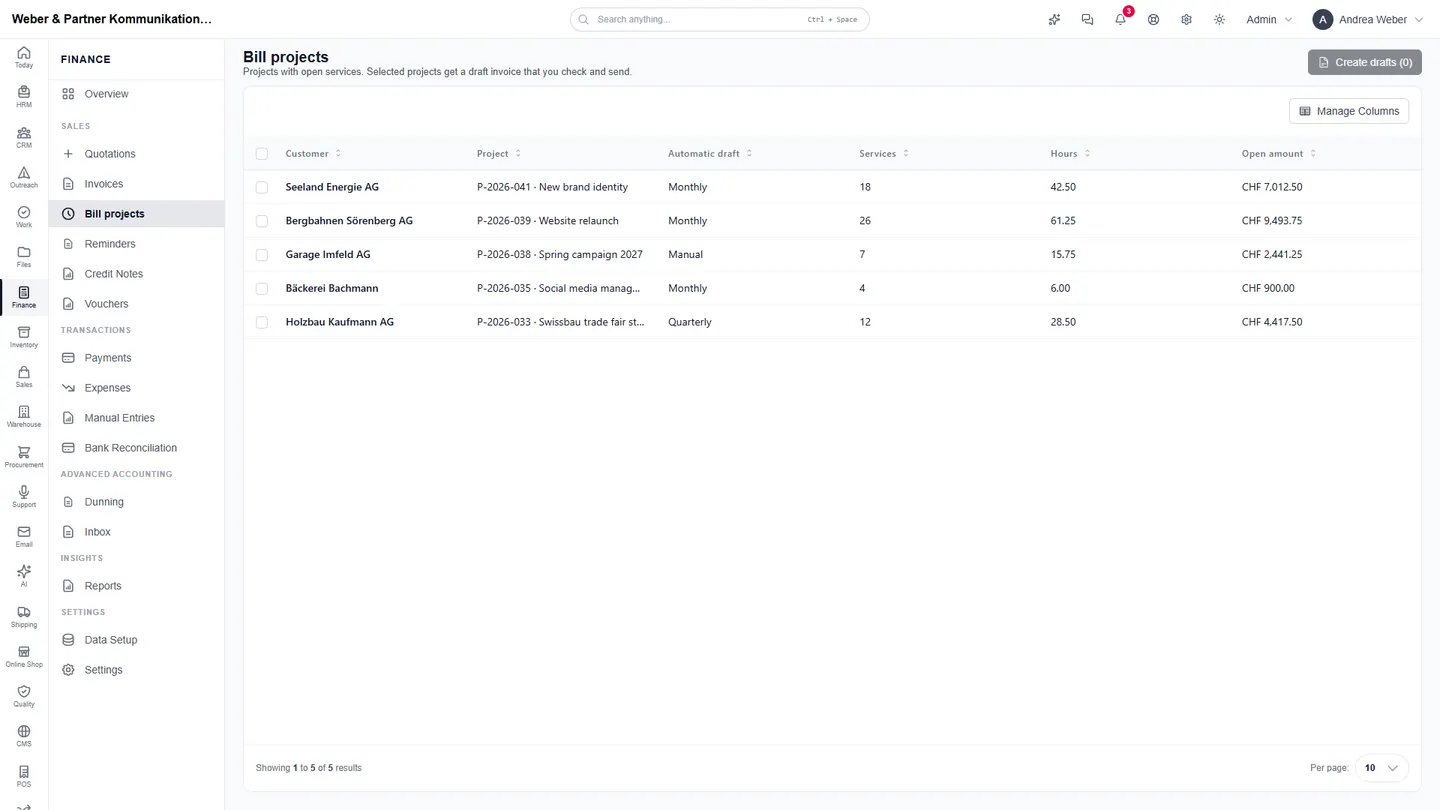
“Bill projects” lists every project with open services, hours and amount. Selected projects get a draft invoice that you check and send.
- Open services and hours per project
- Automatic draft monthly or quarterly
- Invoice with QR payment part
- Payment matching from camt files
The day starts with what is open
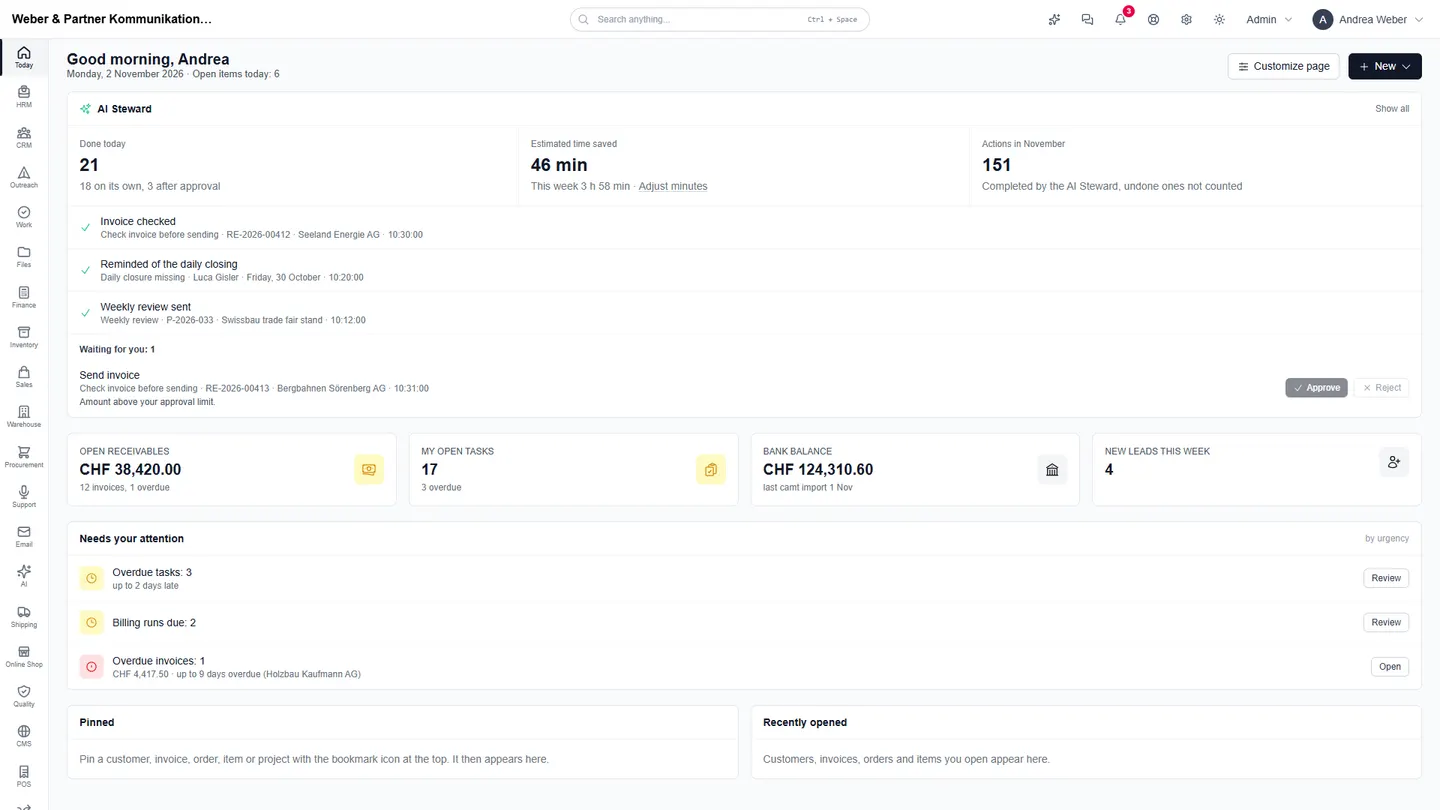
The start page “Today” shows what the AI Steward handled, what waits for your approval and which tasks and billing runs are due.
- Reminders about missing daily closures
- Invoices checked before sending
- Weekly review for project managers
- Billing due and overdue tasks first
What the AI Steward takes over for service firms
Every workflow starts manually or with your approval and only runs on its own once it has proven itself. Every step is logged.
Daily closure missing
From 5 pm, reminds people with planned work who have not closed their day, with a draft note.
Task overdue
Reminds the assignee of open tasks that are past their due date and asks whether a new date is needed.
Project overdue
Asks the project manager of projects past their end date for a new date or the reason, with the progress so far.
Weekly review
Every week, sends the project manager what was done, what is open or blocked and what is due next.
Check invoice before sending
Checks new invoices for tax, address, payment terms, QR reference and possible double invoicing before they go out.
Check recurring invoice
Checks lines, amounts and the customer before a recurring billing runs.
Modules for service firms
Frequently asked questions
- How do hours get onto the invoice?
- Logged time becomes services in the project. Under “Bill projects” this turns into a draft invoice, automatically every month or quarter, or at the push of a button.
- Can clients see files and projects?
- Yes. With their own login clients see shared projects, tasks, files, quotes and invoices and can open tickets.
- Are flat fees and recurring invoices possible?
- Yes. Recurring billing runs on schedule, for example for retainers or subscriptions.
- Is existing data taken over?
- Yes. Clients, projects and open invoices from Excel or your current system are part of the setup.
- Where is the data stored?
- The data is stored in European data centres.
Test relyd with your own projects
14 days free, no credit card. In a demo we show relyd on your own process.